
Voice Addon
This page will guide you through how to use the Voice Chat addon for CM.gd
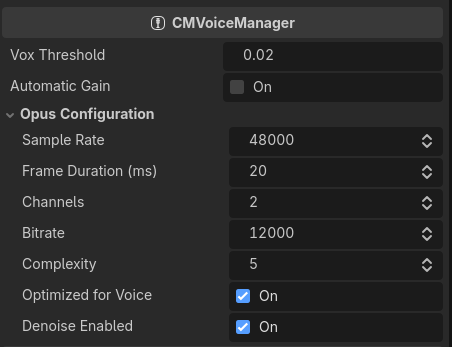
Getting the Addon
Voice addon is currently being reviewed in the Godot Asset Store. Meanwhile you can download it from Github directly here. Download and extract it inside the addons/ folder, then enable the addon from Project Settings.
Attaching Voice Chat to Players
Anywhere in your player spawn process (PlayerSpawner, or the player itself)'s script. You can get the listener of CMNetPeer by calling voice_manager.get_listener_from_peer(net_peer), and then assign it to an audio player, for example:
var listener := voice_manager.get_listener_from_peer(cm_plr.net_peer)
if listener != null:
	listener.set_audio_player(mic_stream_player)
This also means you have to assign voice_manager to your player/spawner as well.
listener.set_audio_player(audio_player) accepts AudioStreamPlayer, 2D, and 3D.
Implementing Push to Talk
Basic push to talk can be achieved by toggling the mic.muted variable, for example:
func _input(event: InputEvent) -> void:
    if event.is_action("push_to_talk"): # make sure to assign this action to a button !
		voice_manager.mic.muted = not event.is_pressed()
By default, mic.muted is true. Which means the mic is muted by default.
Voice Chat Mouth Effects
CMNetVoiceListener do expose loudness_changed which notifies when the player's voice loudness has changed. Here's an example on how to use it:
listener.loudness_changed.connect(_loudness_changed)

func _loudness_changed(db: float):
	%Mouth.scale = Vector3.ONE * remap(db_to_linear(db), 0, 0.2, 1, 1.25)
Additional Information
CMNetVoiceListenerexposes an audio bus ID (audio_bus_idx) that you can use to apply effects, or analyze the output audio. Note that the effects are not synchronized.
Examples
- "Friendslop" Template do make use of this voice addon, you can check it out as a reference!